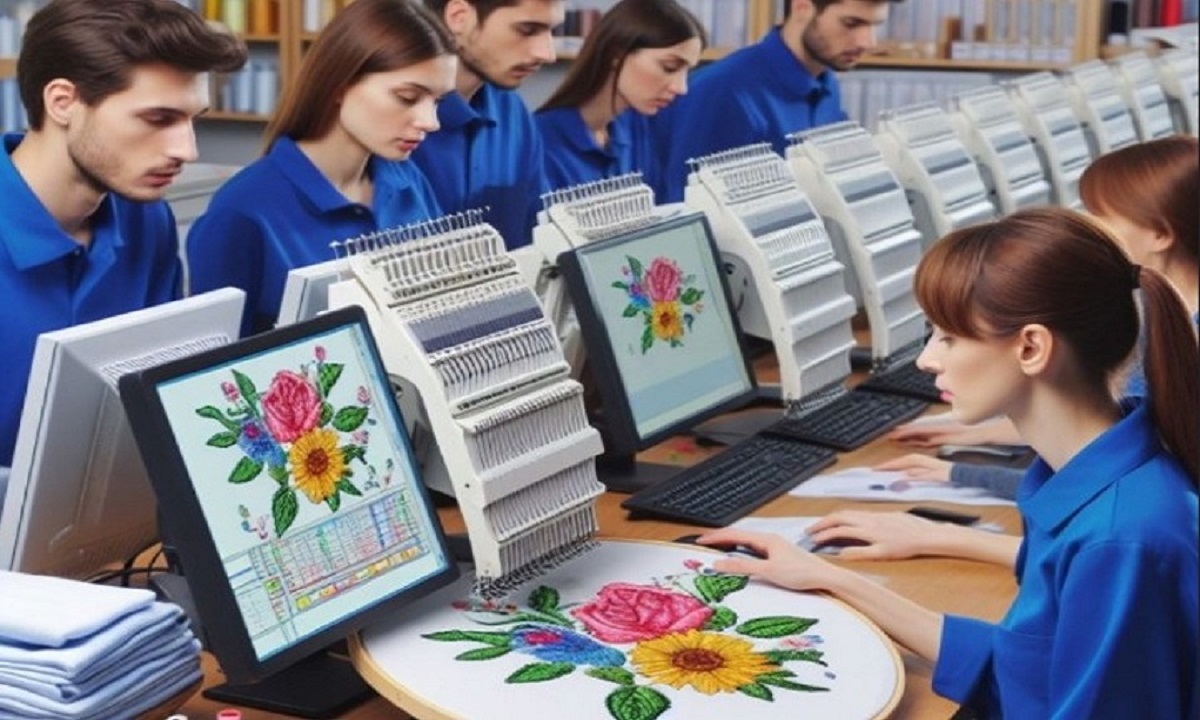
If you are new to embroidery or planning to start an embroidery business, you have probably heard the term Digitizing For Embroidery many times. It sounds technical, but once you understand the basics, it becomes simple and even exciting. Digitizing is the bridge between artwork and your embroidery machine. Without it, machines cannot stitch designs correctly.
In this detailed guide, we will explain what embroidery digitizing is, how it works, why it matters, and how it turns a simple image into a professional stitched design. Everything is explained in easy language, with a casual tone, so beginners can understand without feeling overwhelmed.
What Does Digitizing for Embroidery Mean?
Digitizing for embroidery is the process of converting artwork into a stitch file that an embroidery machine can read. This stitch file contains instructions such as stitch type, direction, order, and density.
More Than Just Converting an Image
Digitizing is not just changing a JPG or PNG into an embroidery file. It involves planning how each stitch will be placed on fabric so the design looks clean and stitches smoothly.
Why Digitizing Is Essential for Embroidery
Embroidery machines do not understand images. They only understand stitches.
Machines Need Instructions
Without digitizing:
- Machines cannot read artwork
- Designs stitch incorrectly
- Thread breaks happen more often
Digitizing gives machines a clear roadmap to follow.
How Digitizing for Embroidery Works Step by Step
Understanding the process helps you see why quality digitizing matters so much.
Step 1: Artwork Review
The digitizer starts by reviewing the artwork. This includes checking:
- Image quality
- Colors
- Size requirements
- Level of detail
Poor-quality images may need cleanup before digitizing begins.
Step 2: Choosing the Right Stitch Types
Different parts of a design need different stitches.
- Satin stitches for borders and lettering
- Fill stitches for large areas
- Running stitches for fine details
Choosing the right stitch type improves both appearance and durability.
Step 3: Setting Stitch Direction
Stitch direction controls how light reflects off the thread.
Why Stitch Direction Matters
Good stitch direction:
- Adds depth to the design
- Prevents fabric distortion
- Makes embroidery look professional
Poor direction can make even a good design look flat or messy.
Step 4: Adding Underlay Stitches
Underlay stitches act as the foundation of embroidery.
Purpose of Underlay
Underlay helps to:
- Stabilize fabric
- Prevent sinking stitches
- Improve top stitch coverage
Skipping underlay often leads to weak embroidery.
Step 5: Adjusting Stitch Density
Stitch density controls how close stitches are placed.
Finding the Right Balance
- Too dense: stiff design and thread breaks
- Too light: gaps and poor coverage
Professional digitizing finds the perfect balance.
Step 6: Applying Push and Pull Compensation
Fabric moves during stitching.
Why Compensation Is Needed
Push and pull compensation adjusts stitches to account for fabric stretch and shrinkage. This keeps shapes and text accurate after stitching.
Step 7: Setting Stitch Order
Stitch order decides which parts stitch first and last.
Smart Stitch Sequencing
Good stitch order:
- Reduces thread trims
- Prevents overlaps
- Keeps designs clean
This step improves both efficiency and appearance.
Types of Embroidery Digitizing
Not all digitizing is the same. Different projects need different approaches.
Logo Digitizing
Logos require sharp edges and accurate colors. Clean digitizing ensures brand consistency.
Text Digitizing
Text must be readable at different sizes. Proper spacing and stitch width are key.
3D Puff Digitizing
Used for caps and bold designs. It requires special planning to support foam.
Appliqué Digitizing
Fabric pieces are stitched onto garments. Digitizing controls placement and cutting lines.
Common File Formats Used in Digitizing
Different embroidery machines use different formats.
Popular Embroidery File Types
- DST for Tajima machines
- PES for Brother machines
- JEF for Janome machines
- EXP for Melco machines
A good digitizer provides the correct format for your machine.
Why Auto-Digitizing Often Fails
Auto-digitizing tools seem convenient but have limits.
Common Problems with Auto-Digitizing
- Poor stitch flow
- No fabric adjustments
- Incorrect density
- Messy small details
Professional digitizing always delivers better results.
How Fabric Affects Digitizing
Fabric choice changes everything.
Different Fabrics, Different Settings
- Stretchy fabric needs lighter density
- Thick fabric needs stronger underlay
- Caps need special stitch angles
Quality digitizing adapts designs to fabric type.
Benefits of Professional Digitizing for Embroidery
Professional digitizing saves time and money.
Better Stitch Quality
Clean edges, smooth fills, and sharp text.
Fewer Machine Errors
Less thread breakage and smoother runs.
Professional Appearance
High-quality embroidery builds trust and brand value.
Who Needs Digitizing for Embroidery?
Digitizing is useful for many people.
Embroidery Businesses
Consistent quality brings repeat customers.
Clothing Brands
Professional logos improve brand identity.
Promotional Companies
Clean designs increase product value.
Hobbyists
Better results and less frustration.
How to Prepare Artwork for Digitizing
Good preparation helps achieve better results.
Tips for Best Results
- Use high-resolution images
- Avoid unnecessary details
- Clearly define colors
- Share fabric and size details
Clear input leads to better digitizing output.
How Long Does Digitizing Take?
Turnaround time depends on complexity.
Typical Timeframes
- Simple logos: a few hours
- Detailed designs: one to two days
Quality digitizing focuses on accuracy, not just speed.
Final Thoughts
Digitizing for embroidery is the backbone of every successful embroidery project. It transforms artwork into stitch instructions that machines can follow smoothly. When done correctly, it results in clean, professional, and long-lasting embroidery. Whether you are just starting out or running an embroidery business, investing in quality digitizing makes a huge difference. For reliable results and expert support, many embroiderers trust Digitizing Buddy to turn their designs into perfect stitch files every time.